A TXT record holds a piece of text. Other services read it for three common jobs:
| Use | What it looks like |
|---|---|
| Domain verification — Google, Microsoft and others ask you to prove you own the domain | google-site-verification=abc123… |
| SPF — lists the servers allowed to send mail as your domain | v=spf1 include:_spf.provider.example ~all |
| DKIM — a public key that signs your outgoing mail | v=DKIM1; k=rsa; p=MIGfMA0… |
Add a TXT record
- Open the domain's DNS records: Domains → the domain → Manage DNS.
- Under Add a record, choose TXT.
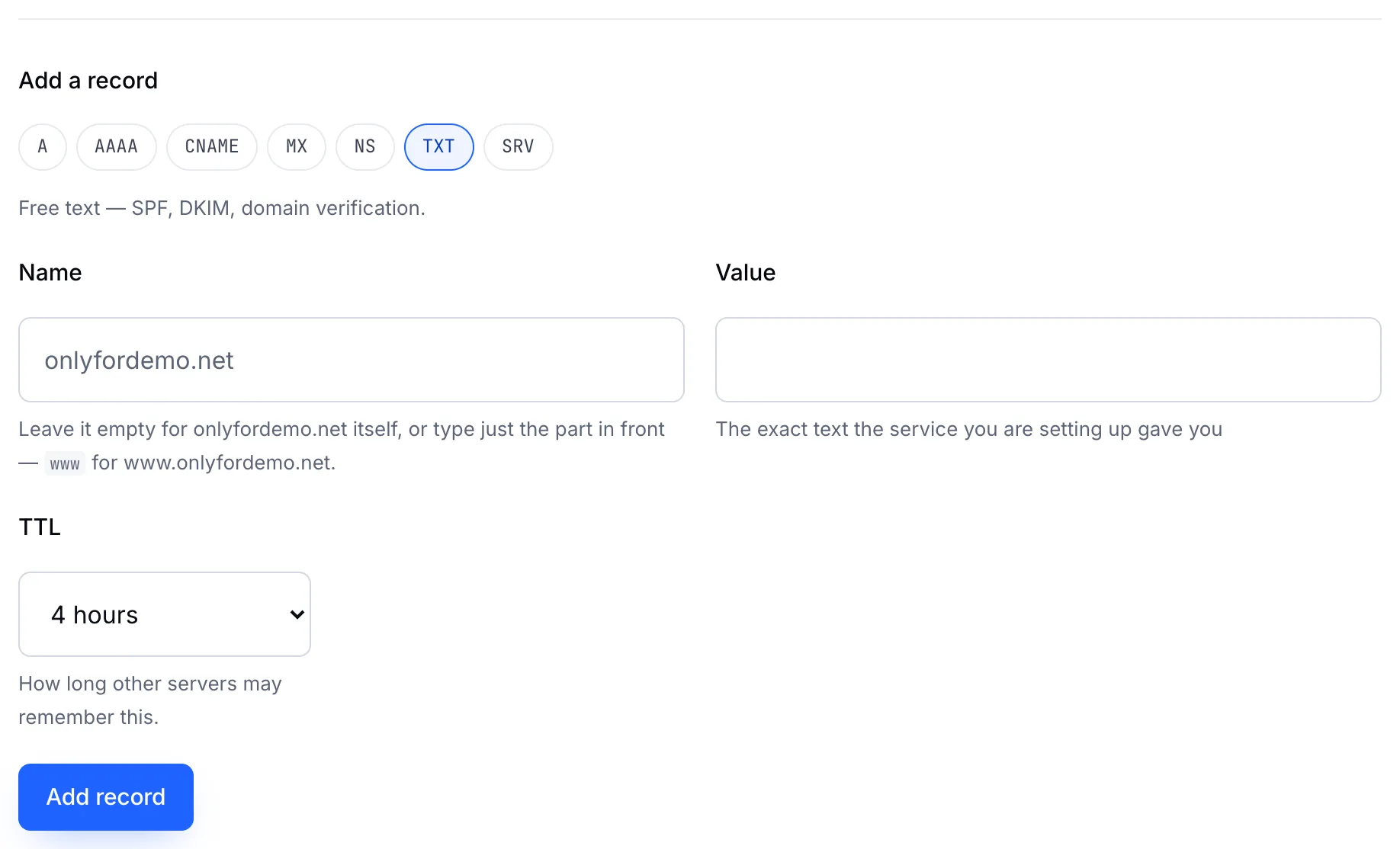
- Name — what the service tells you. Empty for the domain itself; DKIM usually needs a name such as
selector._domainkey. - Value — paste the exact text the service gave you.
- Choose a TTL and click Add record.
Important
A domain can have only one SPF record. If you already have a TXT record starting v=spf1, edit it to add the new service instead of adding a second one. Two SPF records make receiving servers treat both as invalid.
Tip
Copy and paste values rather than typing them. A single missing character in a DKIM key makes the signature fail.