Nameservers decide where your website and email are answered from. Changing them is how you point a domain at a hosting company — Digipacket or anyone else.
Important
Changing nameservers moves everything the domain does. If your email is set up at the current nameservers, recreate its records at the new ones before you switch, or mail stops arriving.
Before you start
- Get the nameservers from the company that hosts the website. If the hosting is with Digipacket, they are shown under Connection details on the hosting service page — see Find the nameservers and records to use.
- You need at least two nameservers. Most extensions accept up to 13.
Change them
- In the control panel, open Domains, click the domain, then Manage domain.
- In the Manage panel, click Change nameservers.
- Replace the list with the new nameservers, one per line.
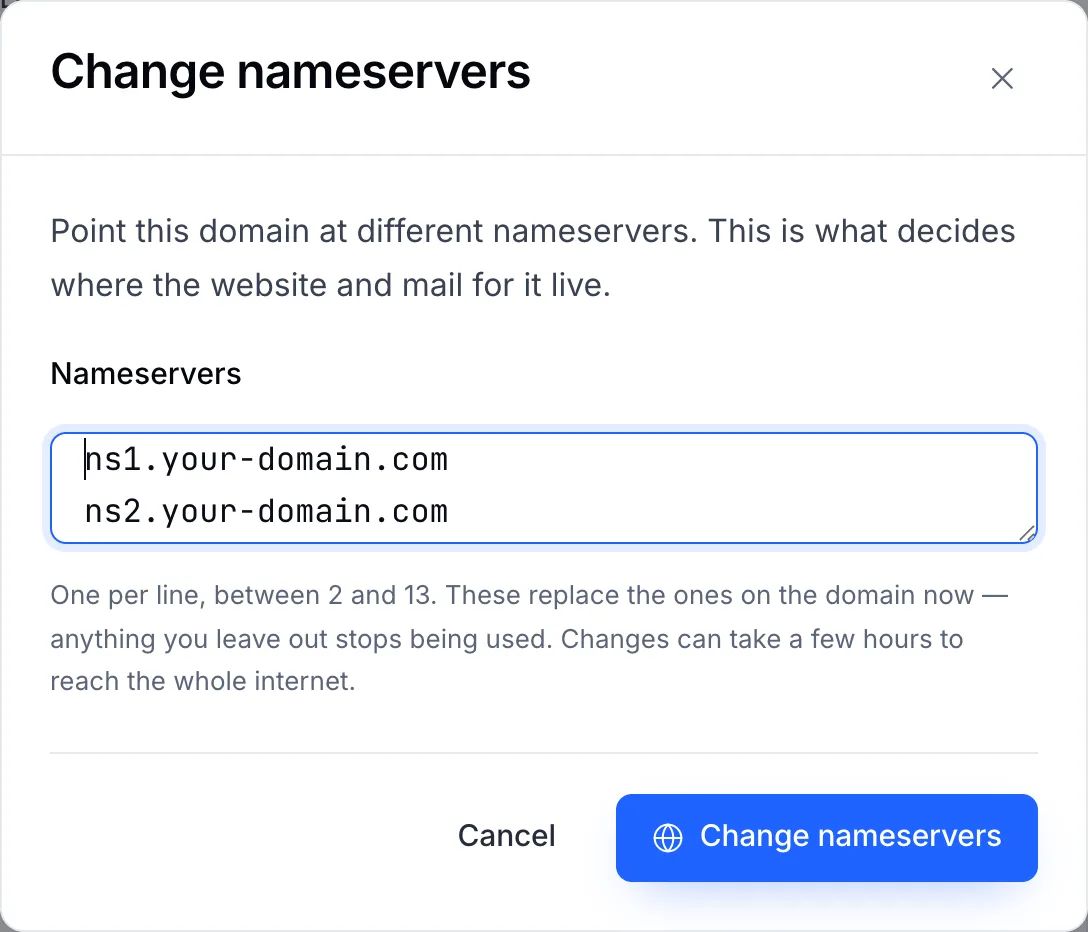
The box starts with the nameservers the domain uses today. - Click Change nameservers to confirm.
The new list replaces the old one: any nameserver you leave out stops being used.
How long it takes
The registry accepts the change within minutes. The rest of the internet catches up as cached answers expire — usually within a few hours, and up to 48 hours in rare cases. During that time some visitors see the old site and some the new one. See DNS propagation.
If the change is refused
| Message | What it means |
|---|---|
| The nameserver is not valid | That hostname is not registered as a nameserver at the registry. Ask your host for the exact names. |
| At least 2 nameservers | The extension requires two or more. Add a second one. |
| Domain status does not allow this | The domain is locked at the registry, or a transfer to another registrar is in progress. Open a ticket and we will tell you which. |
Note
Some extensions have their own rules — .DE, .EU, .ES, .NZ, .US and others. See Nameserver rules by extension.