A ticket keeps the whole conversation in one place, linked to the service it's about, and you can follow it from the panel.
Open a ticket
- Click Support in the sidebar, then Create ticket.
- Fill in the form:
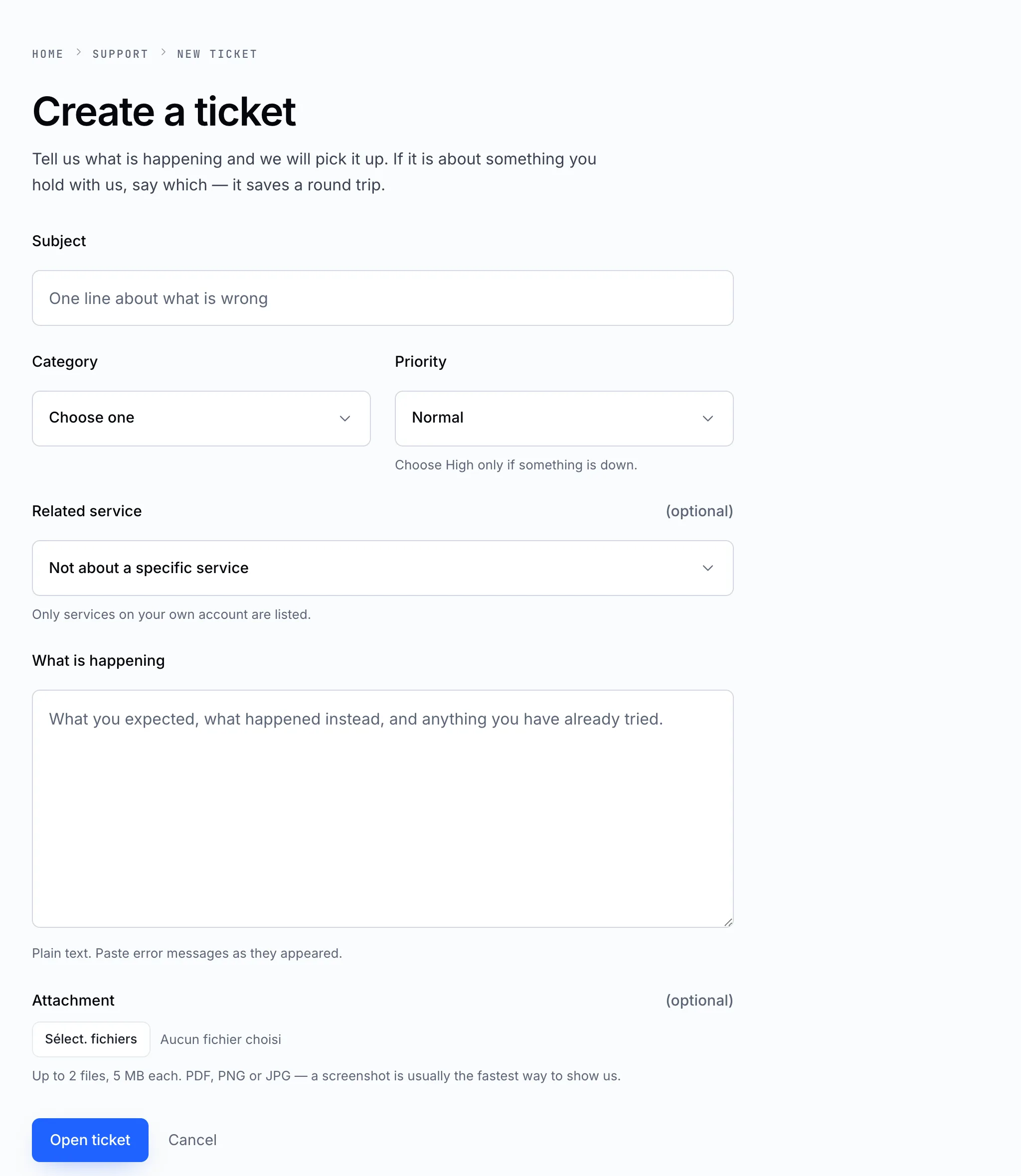
| Field | What to put |
|---|---|
| Subject | One line about what is wrong |
| Category | The area it's about — it sends the ticket to the right person |
| Priority | Normal for most things. Choose High only if something is down |
| Related service | The domain, hosting or mailbox it concerns. It saves a round trip |
| What is happening | What you expected, what happened instead, and what you've already tried. Paste error messages exactly |
| Attachment | Up to 2 files, 5 MB each — PDF, PNG or JPG. A screenshot is often the fastest way to show us |
- Click Open ticket.
Follow and reply
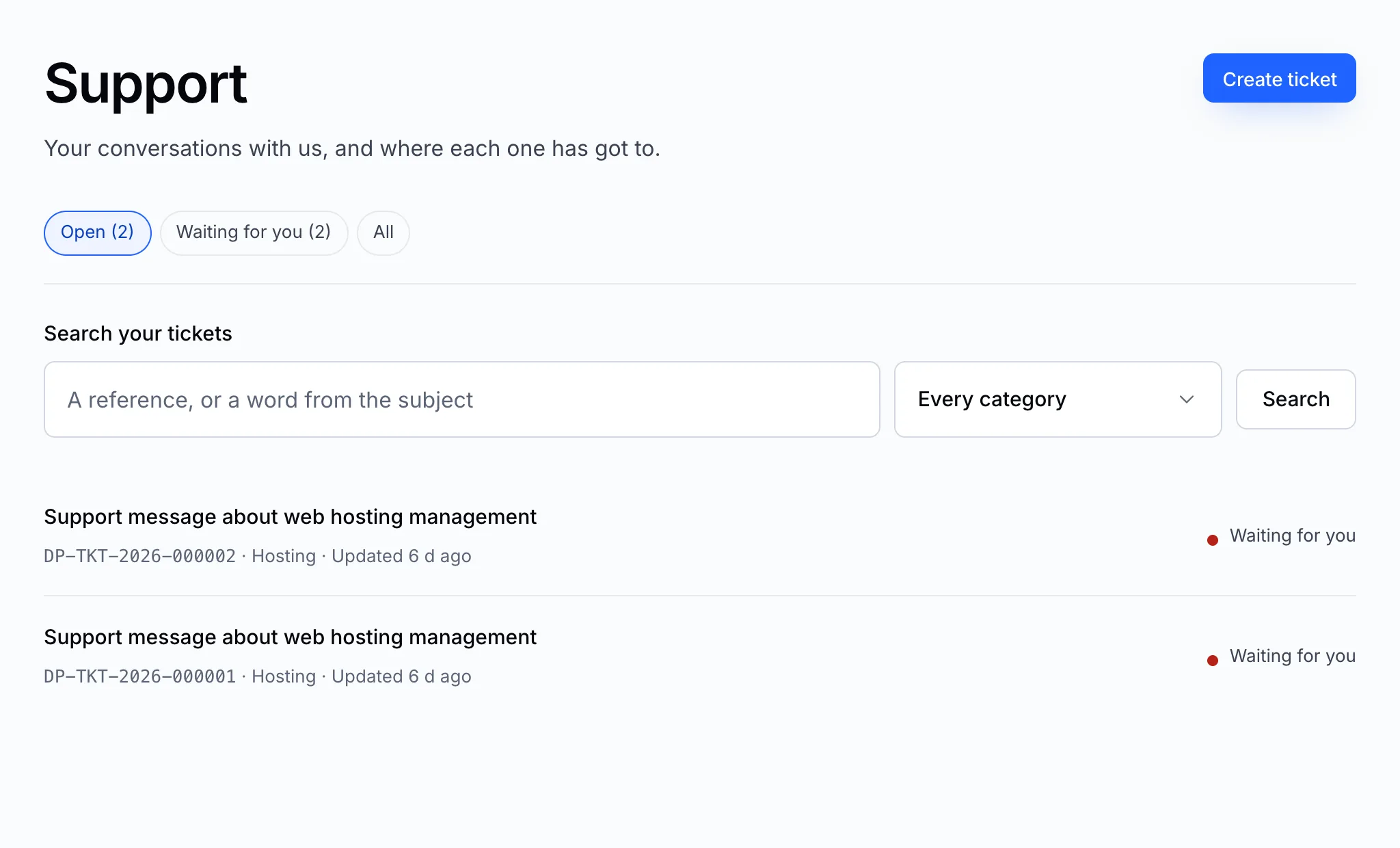
Your tickets are listed under Support. Open one to read our reply and add yours — replying keeps the history together, so there's no need to open a second ticket about the same thing.
Important
Never put a password in a ticket. We never need it — if we need access to something, we'll tell you the safe way to give it.